Every building. Every person.
One screen.
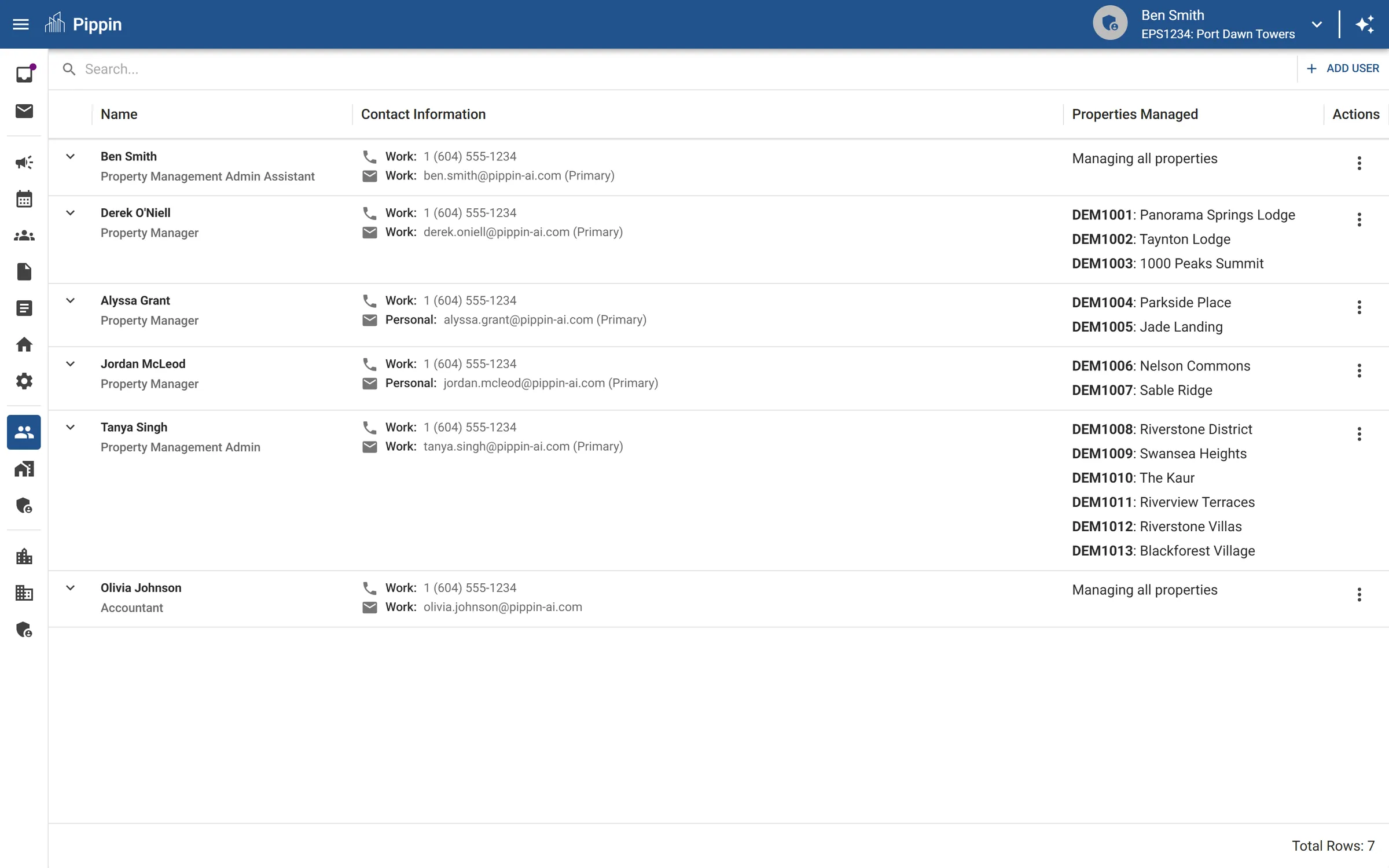
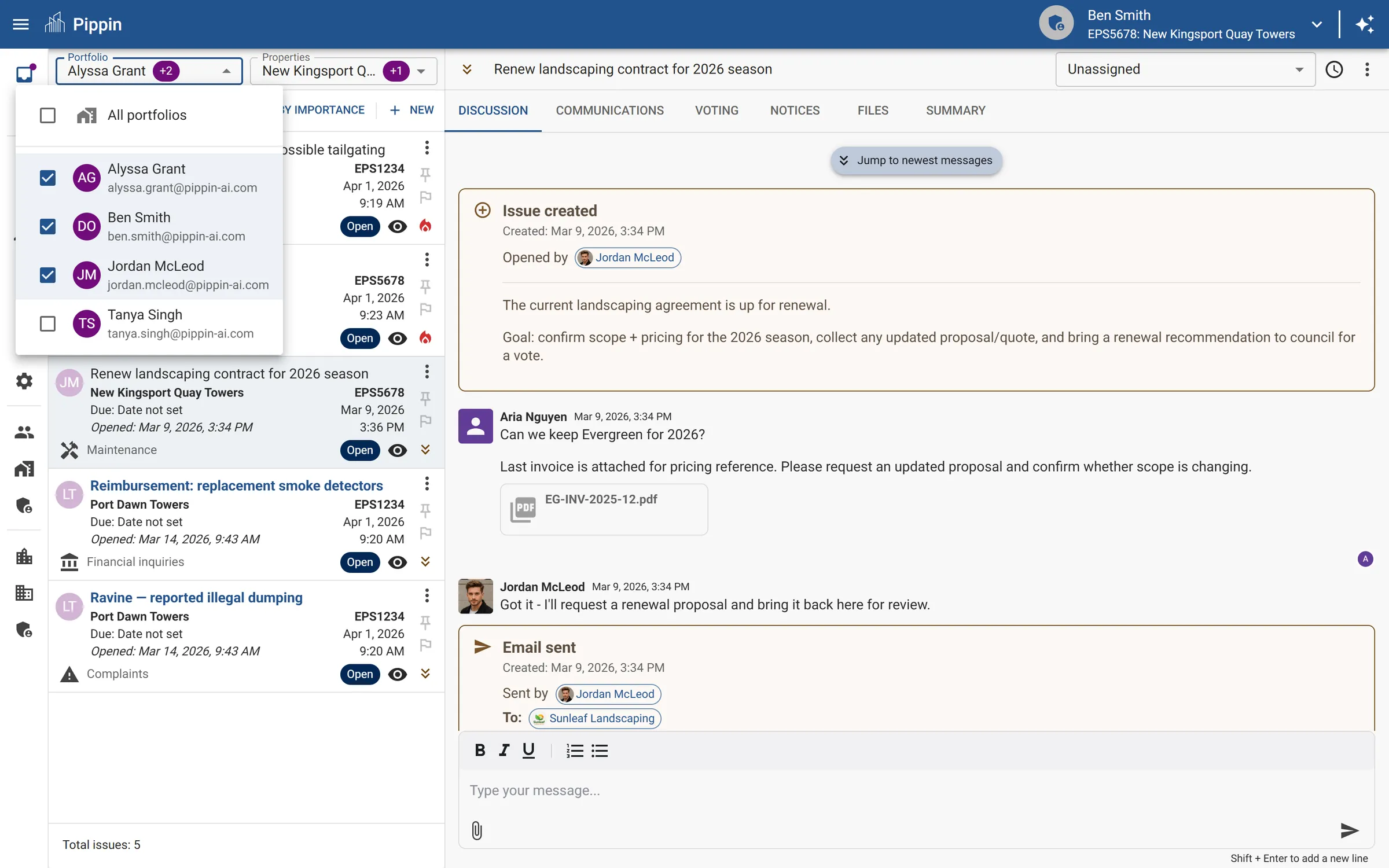
Configure which buildings and issue types each team member handles. See workload distribution across your firm. When someone leaves, reassign a building by changing one mapping — everything transfers instantly.
Portfolio changes are three-month nightmares.
A manager leaves your firm. They managed 12 buildings. Now someone has to figure out what's in progress, where the files are, and what's overdue — from email archives and personal notes that left with the person.
Even routine adjustments — giving a senior manager the complex buildings, distributing maintenance to a coordinator — require manual handoffs that take weeks and inevitably drop things.
Pippin makes portfolio management instant. Everything about the building lives in the platform, so reassigning it means changing one setting — not reconstructing months of context.

Configure once. Reassign instantly.
Define portfolios
Assign each team member their buildings and the issue types they handle. Sarah manages five buildings. James handles maintenance across the whole portfolio. Each person sees only what's theirs.
Monitor workload
See open issues, overdue items, and activity levels across your team. Spot bottlenecks before they become service failures.
Reassign in one click
Change the mapping and the building moves — open issues, documents, contacts, and history included. The new person has full context on day one.
Your team's workload — at a glance.
The portfolio view shows every building, who manages it, and the current status — open issues, overdue items, and recent activity. Filter by team member, building, or issue type. From here, reassigning a building is one click.
Built for how strata firms actually run.
Per-employee configuration
Assign buildings and issue types independently. One person handles governance for 10 buildings. Another handles maintenance for 5. Mix and match to fit your team structure.
Instant building transfer
Reassign a building and everything moves with it — open issues, documents, contacts, and history. No knowledge gap.
Workload visibility
See open issues, overdue items, and response times per person. Spot overload before council satisfaction drops.
Team onboarding
New hire? Assign their buildings and they immediately have full access to every issue, document, and conversation. No "shadowing for two weeks until they know the buildings."
Firm-wide overview
All your buildings in one view. Filter by region, size, or status. See which buildings run smoothly and which need attention.
Transition protection
When someone leaves, nothing is lost. The building's entire history — every issue, every decision, every document — stays in the platform. Continuity is the default, not the exception.
Scaling your firm without scaling your problems.
→ Firm principals
See your entire portfolio — buildings, team allocation, workload — in one view. Make restructuring decisions with data. Add buildings without proportionally adding headcount.
→ Strata managers
See your assigned buildings and their status. When you take over a building, you have full context from day one. No more "the previous manager handled that."
→ Councils
Manager changes are seamless. Your building's history and open issues stay in the platform. You barely notice the transition.